

Recent ABELDent Features
Recent ABELDent Features
AI-Powered Enhancements

ABELDent Scribe
Uses AI to analyze recorded appointments and generate summarized, templated clinical note suggestions.
AI Image Analysis & Condition Identification
Integration with third-party solutions to review digital images, identify conditions, and suggest notes and treatment plans for clinician reviews.
Voice AI Reception Assistance
Integration with third-party solutions to answer patient calls, manage appointments, and handle inquiries—ensuring no missed calls.
Patient Communication & Engagement
Automated Recall Booking
Proactively contacts patients overdue for scaling or recall appointments
Patient-Facing Digital Forms
Highly customizable, editable, and signable forms sent via email or text for completion on any device.
Broadcast Messaging
Instantly notify all active patients about updates, staff changes, closures, or holiday greetings.
Unbooked Appointment Messaging & Targeted Marketing
Filter contacts and send templated messages to encourage bookings, ideal for patient education and maximizing insurance benefits.
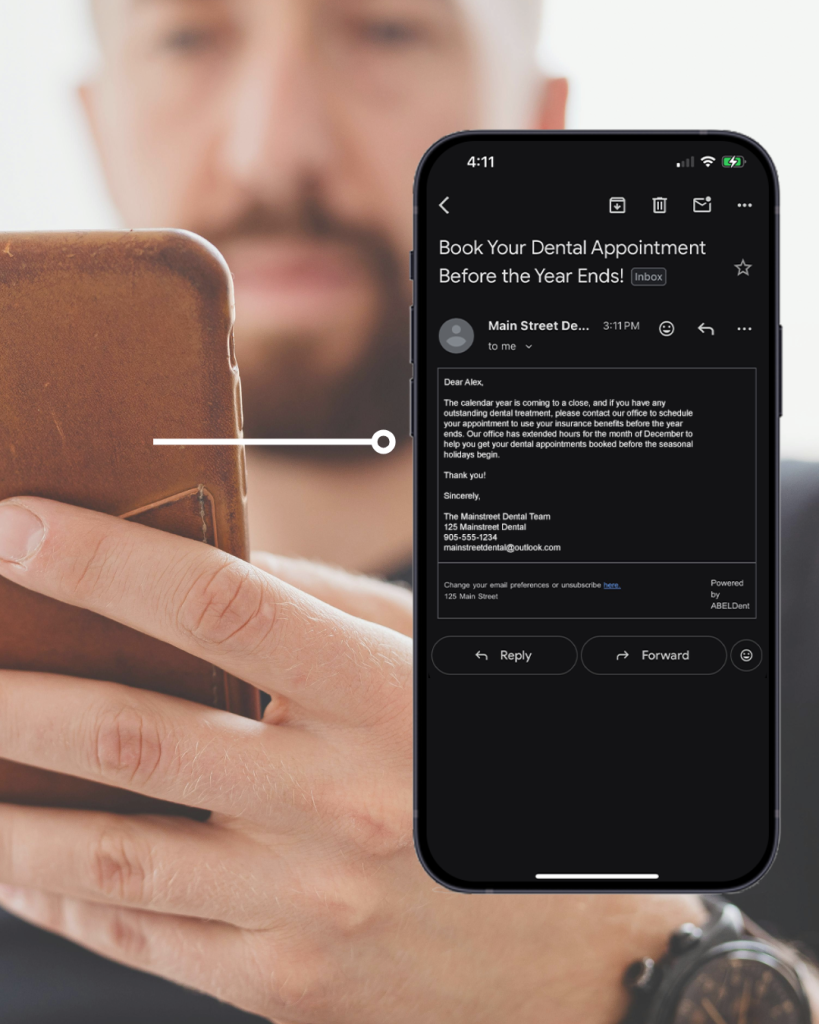
Patient Communication & Engagement
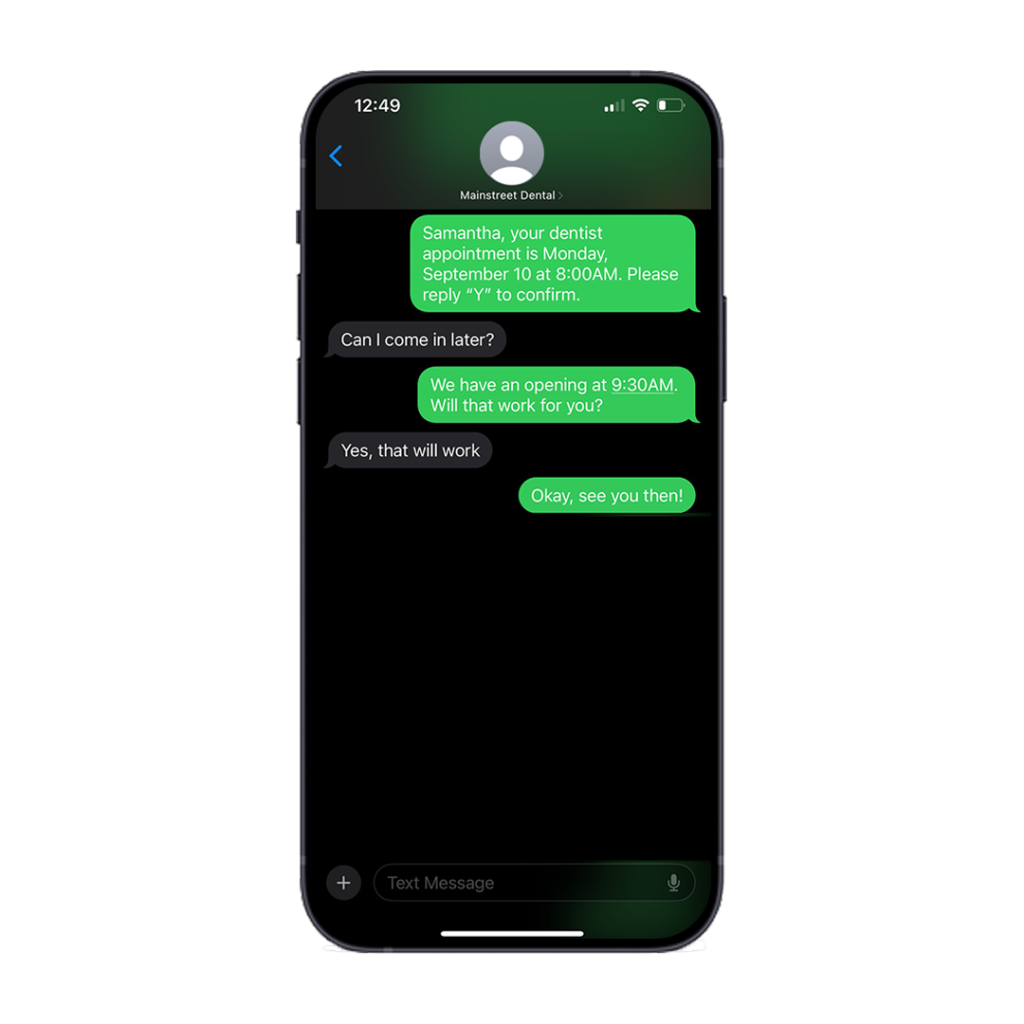
Patient Appointment Self-Booking
Enables new and existing patients to book appointments directly into your schedule, taking into account real-time availability.
Short Notice Recall Booking
Quickly fill schedule gaps when cancellations occur.
Appointment State-Based Reminders & Confirmations
Optionally send reminders/confirmations only to patients with specific appointment states.
Online Secure Patient Payments
Patients can pay overdue balances securely via emailed or texted payment links.
Practice Management & Security
EOB Reconciliation Automation
Automatically updates expected insurance amounts based on received Explanation of Benefits.
Clinical Note Protection Enhancements
Lock notes for editing by a single user and enable sign-off/certification of note content.
Password Security Improvements
Mandatory password updates every 6 months (or custom threshold), with enhanced complexity requirements and easy reset options.
ITRANS Attachment & CDCP Support
Submit electronic attachments to insurance carriers via ITRANS.

Usability & Workflow Improvements
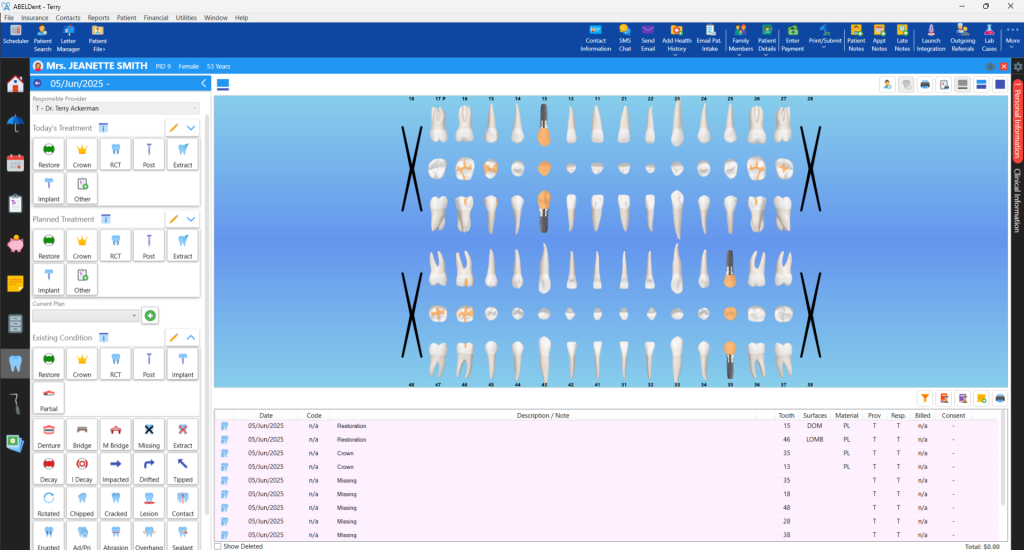
Treatment Status Mode
The alternate charting display shows treatment states by colour on the odontogram.
Security Enhancements
Additional certificates, signatures, and tracking to prevent malicious changes.
Statement Sharing Improvements
Email or print statements as of the last zero balance for concise patient communication.
Global Navigation Bar
One-click access to all essential features.
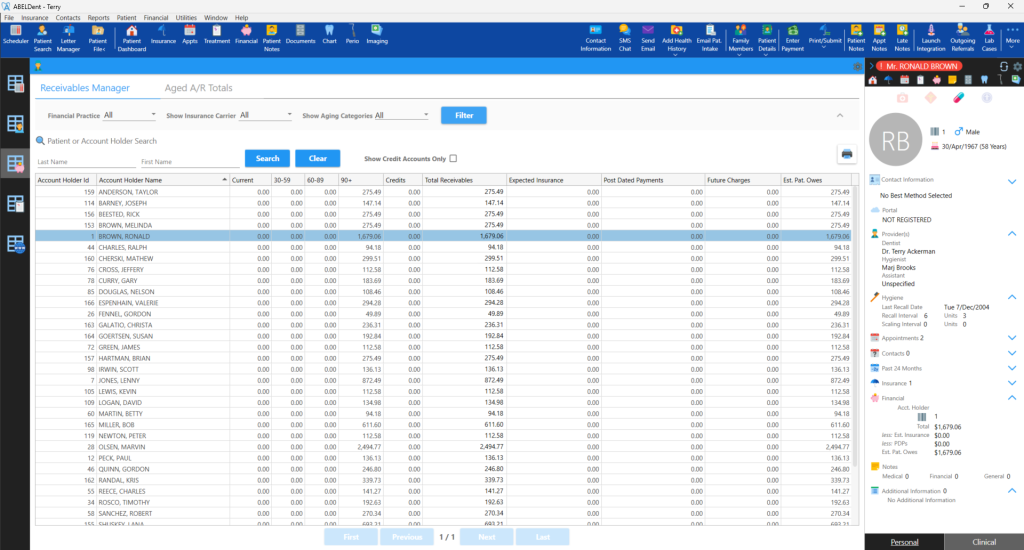
Receivables Manager Totals Summary
Added summary area for a quick financial overview.
Spellcheck
Spelling and grammar checks in patient-facing areas.
Direct Capture Imaging Templates
Capture and group images for review in the imaging tab.
Coming Very Soon

Reputation Management Automation
Automatically ask patients for their feedback and, if appropriate, their Google review immediately after their appointment.
Patient Message Consolidation
Ensure that patients with multiple personal or family appointments on the same day receive only one combined reminder or confirmation message.
Contact Management Enhancements
Help ensure your contacts stay clean and proactively add or remove contacts as needed.
Notification on Booking
Immediately send a message to the patient after an appointment is booked so that they have a record to review later.
Ability to Send Automated Message Templates “x” minutes before or after an Appointment
Further enhance the message automation capabilities available to ensure you can send a variety of automated messages before or after each patient’s appointment.
Patient Check-In
Allow your patients to press a button on their phone when they arrive so that members of your team, even in operatories, will know their patient has arrived.