Ensuring that your list of carriers in ABELDent is up-to-date with CDANet version 4 is easy and straightforward.
Be sure to have the CDANet List of Carriers open before starting the process.
Note: The steps below are for both ABELDent v14 LS and ABELDent v15 Cloud/Local Plus
How to update your carriers to CDANet Version 4:
- Open ABELDent
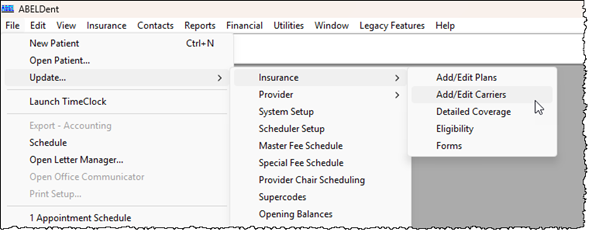
- Access your list of carriers (File > Update > Insurance > Add/Edit Carriers)
- Starting from the top of your list, navigate through the list of Carriers and check the CDANet Version for each carrier
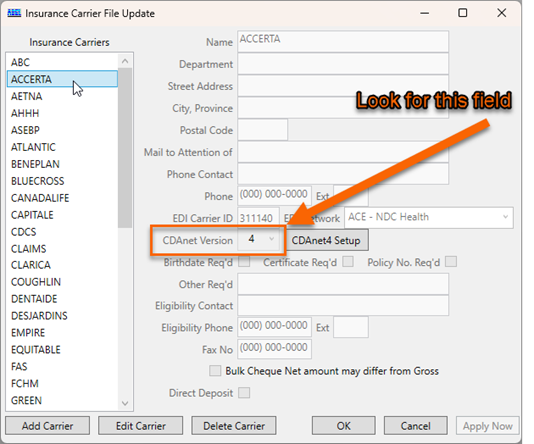
- If you find a carrier is set to CDANet Version 2
- a. Select the carrier
- b. Click Edit Carrier
- c. Set CDANet Version to 4
- d. Click CDANet Version 4 Setup
Carrier Information window appears: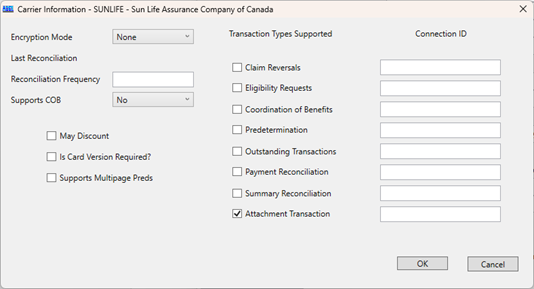
- e. Match the Carrier’s Configuration to the CDANet List of Insurance Carriers (Make sure to click each carrier for more details)
- Match the Transaction Types Supported Section
Match the Transaction Types in the v4 Setup window and the Supported Transactions from the CDANet List of Insurance Carriers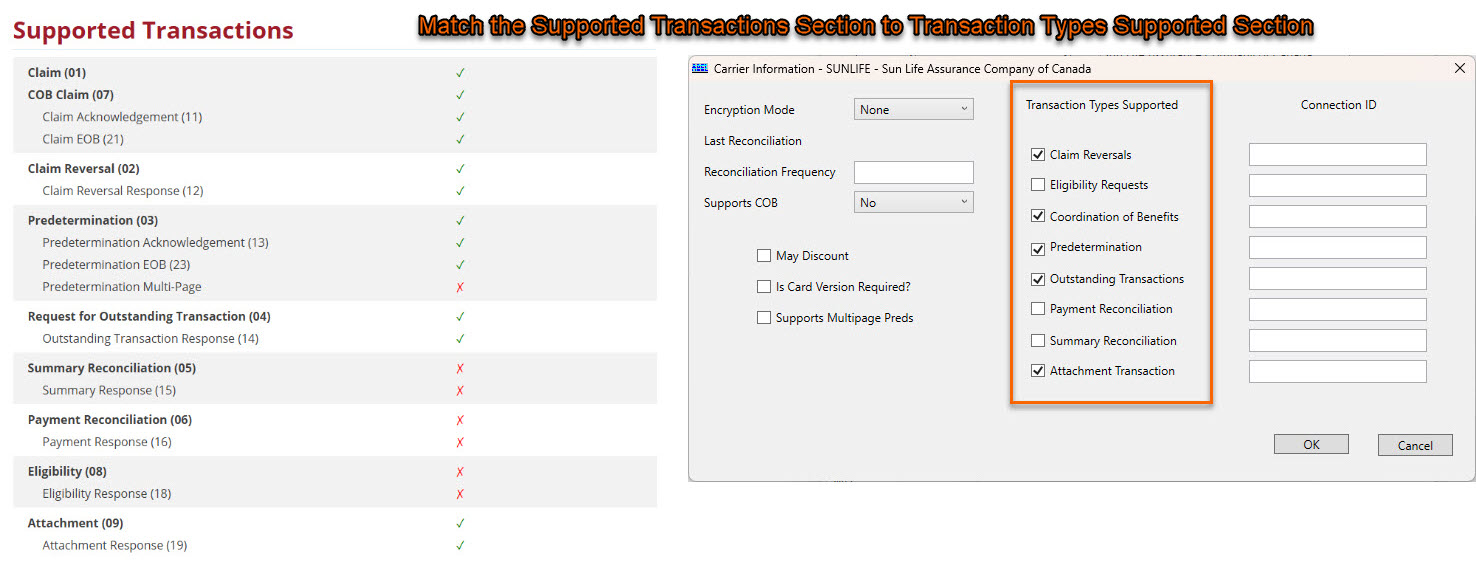
- Match the Supports COB dropdown
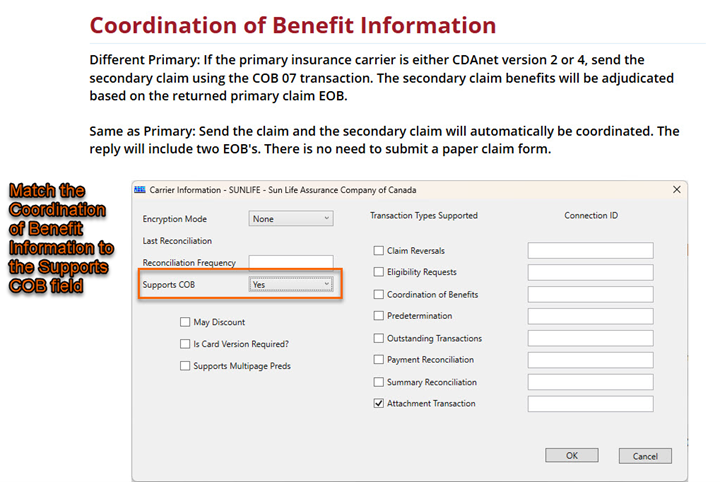
- Set the field according to the Coordination of Benefits Information section
- Yes – If the Coordination of Benefits Information section contains details about full support of COB
- Same Only – If the Coordination of Benefits Information section contains details about only supporting Same Carrier
- No – If the Coordination of Benefits Information section details that Coordination of Benefits is not supported
- Set the field according to the Coordination of Benefits Information section
- Match the Transaction Types Supported Section
- Click OK to save changes and close the CDANet Version 4 Setup window
- Repeat steps 3 and 4 for each carrier in your List of Carriers configured with CDANet Version 2
- Click OK and close your List of Carriers window.
- All your carriers should be configured to Version 4.